
Introduction to Safer Email Accounts
July 18, 2026
In today’s digital age, our personal information is more valuable than ever before. One of the primary sources
for storing and sharing this data is email accounts. These accounts serve as gateways not only for communication
but also for a wide range of services such as banking, social media, and e-commerce. Therefore, ensuring the
security of your email account is crucial to maintaining privacy and avoiding potential cyber threats.
The importance of securing an email account cannot be overstated. Email is often used as a means of verification
across multiple platforms, making it a prime target for hackers seeking unauthorized access. Additionally,
sensitive information such as passwords, financial details, and personal contacts can be leaked if your email
account falls into the wrong hands. This risk underscores the need for robust security measures.
In this article, we will explore various methods to create and maintain a safer email account. We’ll cover
essential practices like setting up strong passwords, enabling two-factor authentication (2FA), implementing spam
filters, and regularly updating software. By following these guidelines, you can significantly reduce the risk of
unauthorized access and protect your personal information from cyber threats.
Why Email Security is Crucial
Email security encompasses a wide array of issues that could compromise your privacy and data integrity. Here are
some key reasons why securing your email account is essential:
- Verification Purpose: Many online services require you to verify your identity via an email address. If
this address is compromised, attackers can hijack your accounts or access sensitive information. - Sensitive Data Storage: Email often stores personal details such as passwords, financial information, and
confidential messages. Breaches in these areas could result in significant loss or misuse of data. - Phishing Attacks: Phishing emails are a common tactic used by cybercriminals to trick users into providing
sensitive information. A secure email account is your first line of defense against such attacks. - Social Engineering: Attackers may use social engineering techniques, which involve manipulating individuals
through psychological means, to gain access to sensitive data via email. - Loss of Trust and Reputation: In the age of social media, a breach in your personal or professional email
account can damage your reputation and erode trust with colleagues, friends, and clients.
Key Components of a Safer Email Account
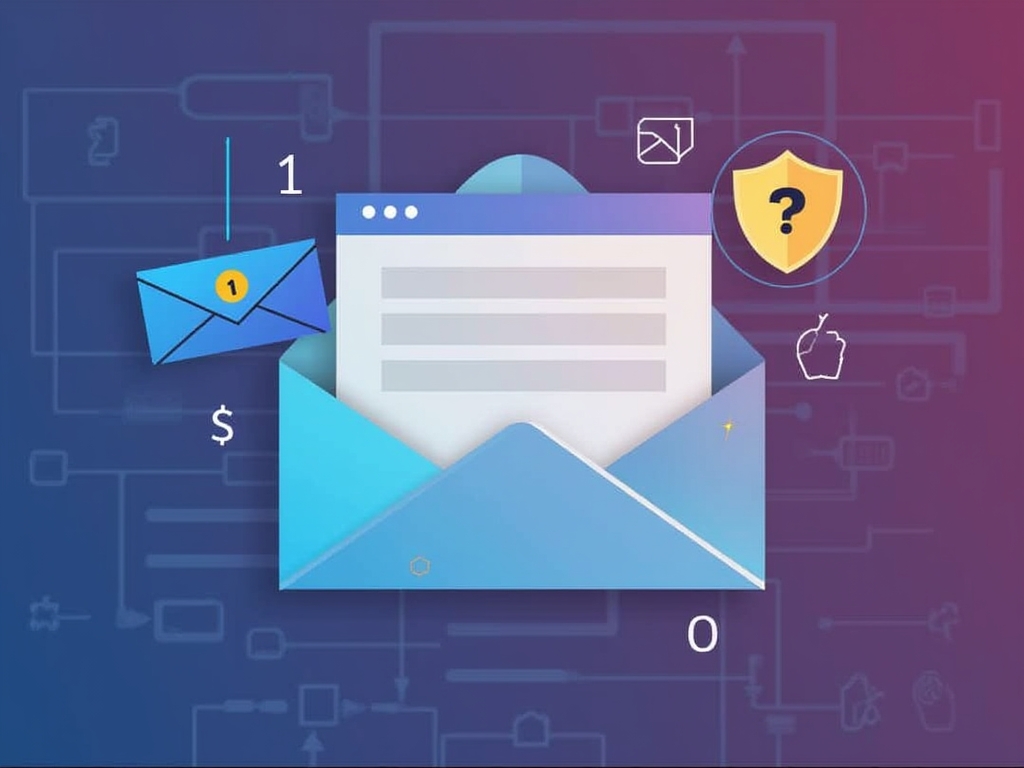
Creating a safer email account involves several key components that collectively enhance security:
- Strong Passwords: A strong password is the first line of defense against unauthorized access.
- Two-Factor Authentication (2FA): This adds an extra layer of security beyond just a password.
- Spam Filters and Email Security Software: These tools help in identifying and blocking suspicious emails
before they reach your inbox. - Regular Updates: Keeping email clients, browsers, and other software up to date ensures that you are
protected against known vulnerabilities.
By incorporating these elements into your daily routine, you can significantly enhance the security of your email
account and minimize risks associated with cyber threats.
Setting Up a Safer Email Account
1. Creating Strong Passwords
One of the most fundamental steps in securing an email account is creating strong passwords. A strong password
should be:
- Complex: Include a mix of uppercase and lowercase letters, numbers, and special characters.
- Unpredictable: Avoid using common words or patterns that are easy to guess, such as “password123” or
“123456.” - Longer is Better: Aim for at least 12-16 characters.
Consider using a password manager to generate and store complex passwords securely. Some popular options include
LastPass, Dashlane, and 1Password. These tools can also help you create unique passwords for each account,
reducing the risk of password reuse across different platforms.
2. Enabling Two-Factor Authentication (2FA)
Two-factor authentication adds an extra layer of security by requiring a second form of verification beyond just a
password. This can be in the form of:
- SMS Codes: A code is sent to your mobile phone that you must enter after entering your password.
- Authenticator Apps: Apps like Google Authenticator or Authy generate one-time codes that expire quickly.
To enable 2FA, log into your email account settings and look for an option related to security or two-factor
authentication. Follow the prompts to set it up. It’s crucial to keep track of any backup recovery codes provided
by the service, as they may be necessary if you ever lose access to your primary verification method.
3. Using Spam Filters and Security Software
Email spam filters can help identify and block suspicious emails before they reach your inbox. Most email
providers offer built-in spam filtering systems that are effective in filtering out phishing attempts and other
malicious content. Additionally, using an antivirus or anti-malware software on your device can provide an extra
layer of protection against malware-laden emails.
Regularly update these tools to ensure you have the latest security patches and definitions. This helps in staying
ahead of emerging threats and reduces the risk of infection from email-borne malware.
4. Keeping Software Updated
Email clients, browsers, operating systems, and other software are continually updated to patch vulnerabilities
that could be exploited by cybercriminals. By keeping your email client up to date, you ensure that any security
flaws have been addressed.
Most modern email providers automatically update their services, but it’s still a good practice to check for
updates manually from time to time. Similarly, keep your operating system and other software on your device
updated as well. This practice helps in maintaining the overall security of your digital ecosystem.
Tips for Maintaining Your Safer Email Account
1. Regularly Review Security Settings
Periodically review the security settings of your email account. Check whether you have enabled all necessary
features, such as spam filters and 2FA. Also, update any recovery information if needed, such as phone numbers or
backup codes.
2. Be Wary of Phishing Attempts
Phishing attacks are a common way for cybercriminals to gain access to your email account. Always be cautious when
clicking on links or downloading attachments from unknown sources. If you receive an email that seems suspicious,
verify the sender’s address and content before taking any action.
3. Use Privacy Settings Wisely
Many email providers offer privacy settings that allow you to control who can see certain aspects of your account.
Utilize these features to limit access to sensitive information or contacts. For example, restrict sharing options
in your calendar or block specific individuals from seeing your message history.
4. Educate Yourself and Others
Stay informed about the latest security trends and threats. Participate in training sessions or workshops that
focus on digital security best practices. Sharing knowledge with colleagues and family members can also help
create a safer online environment for everyone.
Conclusion: The Importance of Protecting Your Email Account
In conclusion, securing your email account is not just about protecting personal information; it’s an essential
step in safeguarding your entire digital footprint. By following the guidelines outlined above—such as creating
strong passwords, enabling 2FA, using spam filters, and keeping software updated—you can significantly reduce the
risk of unauthorized access and cyber threats.
Remember that security is a continuous process. Regularly review your settings, stay vigilant against phishing
attempts, and educate yourself about emerging risks. By taking these proactive steps, you can maintain control
over your digital identity and protect your personal data from potential dangers.
Stay safe online by making your email account as secure as possible!